WPBeginner
-
01:56 Popular
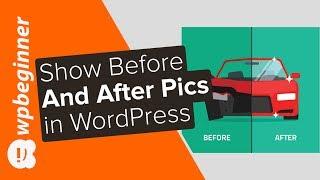
How to Show Before and After Photo in WordPress
Added 107 Views / 0 LikesAre you looking to display before and after photos on your site? These before and after photos can help give a side by side comparison of two identical images in an appealing way. In this video, we will show you how to easily show a before and after photo in WordPress. For this tutorial we will be using the plugin 'Twenty20 Image Before-After' found here: https://wordpress.org/plugins/twenty20/ With the plugin installed and activated you can now add o
-
03:14 Popular
How to Allow Users to Report Inappropriate Comments in WordPress
Added 107 Views / 0 LikesA great feature of Facebook groups is it allows users to report inappropriate comments. This brings it to the attention of moderators and administrators to have them remove offensive, rude or hurtful comments from a group. In this video, we'll show you how to have this same power on your WordPress site where your users will be able to report inappropriate comments. This video brought to you by WPForms, the most beginner friendly WordPress form plugin,
-
01:41 Popular

How to Show Your Skype Contact and Skype Status in WordPress
Added 106 Views / 0 LikesSkype is one of the major communication tools for small businesses for contacting coworkers as well as clients. If you are just starting out and want to supply your users with a way to call or chat with you directly from your site there is a way to do that. In this video, we will show you how to show your Skype contact and Skype status in WordPress. If you liked this video, then please Like and consider subscribing to our channel for more WordPress vi
-
01:11 Popular

How to Show Selective Tweets in WordPress
Added 106 Views / 0 LikesYou may want to show tweets on your site to help users view your social media activity. The most common way to show this would be to place it in the Widget area. In this video, we will show you how to show selective tweets in WordPress. If you liked this video, then please Like and consider subscribing to our channel for more WordPress videos. Text version of this tutorial: http://www.wpbeginner.com/wp-tutorials/show-selective-tweets-wordpress/ Follow
-
01:47 Popular

How to Create a To Do List in WordPress
Added 106 Views / 0 LikesAlmost every site can use a way to collaborate and improve productivity. Depending on the site this could be an editorial flow assistant, document management, or post forking. In this video, we will show you how to create a to do list in WordPress. If you liked this video, then please Like and consider subscribing to our channel for more WordPress videos. Text version of this tutorial: http://www.wpbeginner.com/plugins/how-to-create-a-to-do-list-in-wo
-
00:47 Popular

How to Instantly Switch Between User Accounts in WordPress
Added 106 Views / 0 LikesSometimes you may have a need to test features for different levels of users. Logging in and out for each user can become a tedious process but there is a faster way.In this video, we will show you how to instantly switch between user accounts in WordPress. If you liked this video, then please Like and consider subscribing to our channel for more WordPress videos. Text version of this tutorial: http://www.wpbeginner.com/plugins/how-to-instantly-switch
-
01:16 Popular

How to Add YouTube Subscribe Button in WordPress
Added 106 Views / 0 LikesIf you have a YouTube channel that you use with your site you may want to use your site to get more subscribers. You may want to display a button to subscribe rather than adding an annotation to your video. In this video, we will show you how to add a YouTube subscribe button in WordPress. If you liked this video, then please Like and consider subscribing to our channel for more WordPress videos. Text version of this tutorial: http://www.wpbeginner.co
-
01:26 Popular

How to Add a Facebook Style Timeline in WordPress
Added 106 Views / 0 LikesDo you like the Facebook timeline design? Some users want to add that design on their site without changing themes. In this video, we will show you how to add a Facebook style timeline in WordPress. If you liked this video, then please Like and consider subscribing to our channel for more WordPress videos. Text version of this tutorial: http://www.wpbeginner.com/plugins/how-to-add-a-facebook-style-timeline-in-wordpress/ Check us out on Facebook: https
-
01:14 Popular
How to Install and Setup Yoast Comment Hacks for WordPress
Added 106 Views / 0 LikesWould you like a set of tools to help with WordPress comment management moderation? The Yoast team released a new plugin called Yoast Comment Hacks that brings some comment features together. In this video, we will show you how to install and setup Yoast Comment Hacks for WordPress. If you liked this video, then please Like and consider subscribing to our channel for more WordPress videos. Text version of this tutorial: http://www.wpbeginner.com/plugi
-
01:49 Popular
How to Create Temporary Login for WordPress
Added 106 Views / 0 LikesHave you ever needed to create a temporary account that will automatically expire after a specific date? Sometimes offering temporary access to the admin area is required. In this video, we will show you how to create a temporary login for WordPress without passwords. Text version of this tutorial: http://www.wpbeginner.com/plugins/how-to-create-temporary-login-for-wordpress-no-passwords/ If you liked this video, then please Like and consider subscrib
-
02:27 Popular

How to Add Instant Search in WordPress with Algolia
Added 106 Views / 0 LikesAre you looking to add instant search capabilities to your WordPress site? Many sites use this to give quick previews of their posts to help their users find them. In this video we will show you how to add instant search in WordPress with Algolia. Text version of this tutorial: http://www.wpbeginner.com/plugins/how-to-add-instant-search-in-wordpress-with-algolia/ If you liked this video, then please Like and consider subscribing to our channel for mor
-
16:47 Popular
18 Best WordPress Plugins and 5 Bonus Tools We Use on All Sites
Added 106 Views / 0 LikesLooking for the must-have WordPress tools and plugins for your site in 2020? There are thousands of WordPress plugins you can choose from which makes it extremely overwhelming for new users to find the right plugin for their site. This is why we most commonly get asked what are the minimum required plugins for most sites. In this video, we will share some of our recommended and must-have plugins and tools for all WordPress sites. This video is sponsor
-
04:22 Popular
How to Clean up Your WordPress Media Library 2 Easy Methods
Added 106 Views / 0 LikesDo you want to clean up your WordPress media library? WordPress makes different dimensions of your images so they are available for the different locations you could place them with your theme. You also do not remove the images that were in a post of yours when you remove that post. In this video, we will show you how to clean up your WordPress media library with two different methods. This video is sponsored by MonsterInsights, a powerful plugin to h
-
08:32 Popular

How to Create a Contact Form in WordPress (Step by Step)
Added 106 Views / 0 LikesAre you wanting to have a contact form on your WordPress site? Every site can use a contact form to allow visitors to reach out about your site, product, or services but WordPress does not come with a built-in contact form. In this guide, we'll show you how to easily create a contact form in WordPress (step by step) without needing to code. This video brought to you by WPForms, the most beginner friendly WordPress form plugin, take a look at their sit
-
00:49 Popular

How to Preserve the Editor Scroll Position in WordPress
Added 105 Views / 0 LikesHave you noticed when editing a WordPress post when you hit "Save Draft" it reloads the page and sets your scroll bar to the top? This can get annoying for some users. In this video, we will show you how to preserve the editor scroll position in WordPress. If you liked this video, then please Like and consider subscribing to our channel for more WordPress videos. Text version of this tutorial: http://www.wpbeginner.com/plugins/how-to-preserve-the-edit
-
01:02 Popular

How to Allow Users to Invite Their Friends to Register in WordPress
Added 105 Views / 0 LikesSome sites may want to give their users the option to invite their friends to register. This is popular for services like Twitter and Facebook. In this video, we will show you how to allow your users to invite their friends to register in WordPress. If you liked this video, then please Like and consider subscribing to our channel for more WordPress videos. Text version of this tutorial: http://www.wpbeginner.com/plugins/how-to-allow-users-to-invite-th
-
01:00 Popular

How to Install and Setup Facebook Comments in WordPress
Added 105 Views / 0 LikesAre you wanting to add Facebook comments on your WordPress site? Facebook is a massive social network that many people use. In this video, we will show you how to install and setup Facebook comments in WordPress. If you liked this video, then please Like and consider subscribing to our channel for more WordPress videos. Text version of this tutorial: http://www.wpbeginner.com/plugins/how-to-install-and-setup-facebook-comments-in-wordpress/ Check us ou
-
02:40 Popular

16 Best Free Social Media Icon Sets for WordPress
Added 105 Views / 0 LikesFinding social media icon sets to use on your website can sometimes be difficult. There are plenty of plugins that allow you to add social media icons in WordPress you may want to add your own. In this video, we will show you 16 free social media icon sets for WordPress. If you liked this video, then please Like and consider subscribing to our channel for more WordPress videos. Text version of this tutorial: http://www.wpbeginner.com/showcase/16-best-
-
02:20 Popular
5 Best Forum Plugins for WordPress
Added 105 Views / 0 LikesText version of this tutorial: http://www.wpbeginner.com/plugins/5-best-forum-plugins-for-wordpress/ Building online forums requires patience and some technical knowledge. This can make it feel intimidating to beginner users. In this video, we will show you the 5 best forum plugins. If you liked this video, then please Like and consider subscribing to our channel for more WordPress videos. Check us out on Facebook: https://www.facebook.com/wpbeginner
-
03:28 Popular
How to Add Signature Ads After Post Content in WordPress
Added 105 Views / 0 LikesAdding Signatures or advertisements after your posts is not always easy to do. We have tackled this problem and in this video we will show you how to display signatures or ads after your post content. Text version of this tutorial: http://www.wpbeginner.com/wp-tutorials/how-add-signature-ads-post-content-wordpress/ If you liked this video, then please Like and consider subscribing to our channel for more WordPress videos. Check us out on Facebook: htt
-
08:14 Popular
What’s Coming in WordPress 5.4
Added 105 Views / 0 LikesWordPress 5.4 is planned to be released soon and will be the first major release of the year with some significant improvements. We've been keeping an eye on the development and the new features that are on the way to improve the block editor. In this video, we'll show you what's coming in WordPress 5.4 so you can be prepared and use the new features to your advantage. This video brought to you by RafflePress, the best WordPress giveaway plugin availa
-
01:26 Popular
How to Check Grammar and Spelling Mistakes in WordPress
Added 104 Views / 0 LikesA popular issue with the post editor is the lack of a form of spell check. This is why some users look into other document processing tools and programs. In this video, we will show you hot to check for grammar and spelling mistakes in WordPress. If you liked this video, then please Like and consider subscribing to our channel for more WordPress videos. Text version of this tutorial: http://www.wpbeginner.com/plugins/how-to-check-grammar-and-spelling-
-
01:33 Popular

How to Fix Category and Comment Count After WordPress Import
Added 104 Views / 0 LikesIs your comment count off after importing your content? Importing with the built-in importer can sometimes mess up your comments count. In this video, we will show you how to fix category and comment counts after importing. If you liked this video, then please Like and consider subscribing to our channel for more WordPress videos. Text version of this tutorial: http://www.wpbeginner.com/wp-tutorials/how-to-fix-category-and-comment-count-after-wordpres
-
02:09 Popular
How to create a Link to Logout of WordPress
Added 104 Views / 0 LikesDo you want to manually add a link to log out of your WordPress site? This can be helpful if you are running a membership site to let your users logout and you can add it anywhere on your site. In this article we will show you how to add the logout link to your WordPress website. Text version of this tutorial: http://www.wpbeginner.com/wp-tutorials/how-to-add-the-wordpress-logout-link-to-navigation-menu/ If you liked this video, then please Like and c
-
20:35 Popular
WordPress Gutenberg Tutorial: How to Easily Work With the Block Editor
Added 104 Views / 0 LikesAre you looking for an easy tutorial on how to use WordPress Gutenberg editor? We'll show you how to use Gutenberg to create your posts in WordPress. And we'll cover some of the most popular blocks like the paragraph, image, and link block. We'll also highlight a few Gutenberg blocks like the Cover page and the Gallery block. And did you know that many plugins like WPForms use blocks to easily integrate their plugins with your post or pages. This vide
-
11:06 Popular

Beginner’s Guide to Creating 301 Redirects in WordPress (Step by Step)
Added 104 Views / 0 LikesDo you want to create 301 redirects on your WordPress website? 301 redirects help fix 404 page not found errors and point users to the correct page. It provides a better user experience and improves your keyword rankings. --Links-- ►partner affiliate link - https://aioseo.com/ ►written tutorial - https://www.wpbeginner.com/beginners-guide/beginners-guide-to-creating-redirects-in-wordpress/#:~:text=Next%2C%20select%20the%20404%20error,the%20'Add%20Redi
-
00:53 Popular

How to Add Staff Member Profiles in WordPress with Staffer
Added 103 Views / 0 LikesThere are ways to add a staff member profile in WordPress. One way is to edit some of your files but a easier way would be to use a plugin. In this video, we will show you how to add staff member profiles in WordPress with Staffer. If you liked this video, then please Like and consider subscribing to our channel for more WordPress videos. Text version of this tutorial: http://www.wpbeginner.com/plugins/how-to-add-staff-member-profiles-in-wordpress-wit
-
01:14 Popular

How to Turn Off Related YouTube Videos in WordPress
Added 103 Views / 0 LikesYouTube is a great platform for hosting and sharing your videos. Some users avoid using YouTube because the related videos showing at the end of the video. In this video, we will show you how to turn off related videos when embedding YouTube videos in WordPress. If you liked this video, then please Like and consider subscribing to our channel for more WordPress videos. Text version of this tutorial: http://www.wpbeginner.com/plugins/how-to-turn-off-re
-
01:19 Popular
How to Display Twitch Stream Status in WordPress
Added 103 Views / 0 LikesTwitch is a video streaming platform popular among gamers who use it to broadcast their game play. It is also used to stream gaming events, competitions, tournaments, ect. In this video, we will show you how to display twitch stream status in WordPress. If you liked this video, then please Like and consider subscribing to our channel for more WordPress videos. Text version of this tutorial: http://www.wpbeginner.com/plugins/how-to-display-twitch-strea
-
02:17 Popular

How to Fix WordPress Posts Returning 404 Error
Added 103 Views / 0 Likes404 errors can pop up from time to time due to how complex WordPress is behind the scenes. These errors can make it seem like your site is completely gone but you don't have to worry we have helped many users work through removing this error. In this video we will show you how to fix your WordPress posts returning the 404 error. Text version of this tutorial: http://www.wpbeginner.com/wp-tutorials/how-to-fix-wordpress-posts-returning-404-error/ If you









