Elegant Themes
-
16:04

How to Add a Circle Text Path SVG Animation to Your Divi Design
Added 58 Views / 0 LikesLearn more: https://www.elegantthemes.com/blog/divi-resources/how-to-add-a-circle-text-path-svg-animation-to-your-divi-design Keeping up with trends in the web design space is one of the best ways to stay up-to-date as a web designer. It allows you to create modern-day websites that’ll impress your clients and help bring your skillset to the next level. In today’s tutorial, we’ll show you how to get familiar with a trend you often see nowadays in adva
-
14:22 Popular

How to Add a Closeable Slide In Call to Action to Any Corner of Your Page Template in Divi
Added 104 Views / 0 LikesHaving a slide-in call to action on your site is one of the least obtrusive ways to get your visitors' attention. Most of the time they will simply ignore CTA or close it to continue browsing the page, but sometimes you will win them over. A slide-in call to action will work great for promoting just about anything on a landing page. In this tutorial, we are going to design a closeable slide-in call to action that can be added to any corner of a page u
-
03:01 Popular

How to Add a Custom Fixed Header for Mobile Using Divi
Added 107 Views / 0 LikesIn this tutorial, I’m going to show you how to add a custom fixed header on mobile that includes the following: - A different (more mobile friendly) logo than your desktop version. - A shorter header to allow more available viewing space. - A larger clickable hamburger navigation icon to make it easier to deploy the mobile nav. - A semi-transparent background that makes the header even more intrusive when viewing the site. Read more: https://www.elega
-
06:26
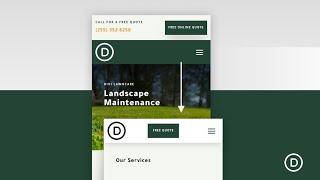
How to Add a Custom Sticky Header for Mobile Using Divi
Added 63 Views / 0 LikesIn this tutorial, we are going to show you how to add a custom sticky header for mobile using Divi. Using Divi’s built-in options (including the sticky position options), we’ll show you how to display a completely custom sticky header that includes those crucial elements (like a logo, a button, and a menu icon) without taking up too much space. Blog post: https://www.elegantthemes.com/blog/divi-resources/how-to-add-a-custom-sticky-header-for-mobile-us
-
04:16
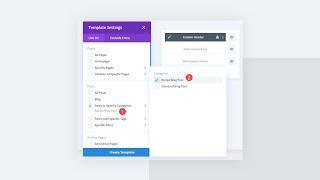
How to Add a Different CTA Per Post Category Using Divi’s Theme Builder
Added 85 Views / 0 LikesWebsite users can be passive and indecisive unless called to take action. That’s why tools like the Divi Theme Builder are so handy. For websites that use multiple categories of content, a single Call-To-Action module (CTA) or optin cannot be optimized for all visitor types. However, by using theme builder layouts and Divi’s dynamic content feature, you can show varied calls to action based on the post content the user is viewing. Doing so will make y
-
11:18

How to Add a Divi Email Optin to Your Gutenberg Blog Post
Added 82 Views / 0 LikesThe Divi Layout Block opens the door for many convenient ways to bring the powerful design features of the Divi Builder to WordPress’s default block editor (Gutenberg). This allows you to write the bulk of your blog post content using the familiar Gutenberg block interface and then inject Divi Layouts where custom design or functionality is needed. A Divi Layout Block can include anything you can build within the Divi Builder, but it is also great for
-
26:18 Popular

How to Add a Dropdown Contact Form to Your Global Header
Added 104 Views / 0 LikesMultistreaming with https://restream.io/?ref=wVYnR When you’re building a custom header for your website, using Divi’s theme builder, you’ll find yourself looking for the ideal way to add a CTA. One way you can go about it is by adding a dropdown contact form. This will help you keep the overall look and feel of your header clean while still providing the possibility to get in touch without the need for scrolling. In this tutorial, we’ll show you how
-
03:00
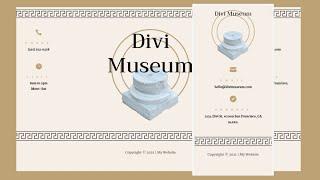
How to Add a Dynamic Copyright Year to Your Divi Footer (Automatically Updated)
Added 41 Views / 0 LikesA yearly copyright notice is one of the most popular elements to add to a website’s footer. Unfortunately, it can be difficult to remember to change the year from one year to the next. The solution is to make the year dynamic. It would pull the date from the server, and you would never have to worry about it. Fortunately, adding a dynamic year to the Divi copyright footer is a simple task. In this article, we’ll see how to add a dynamic copyright year
-
08:32
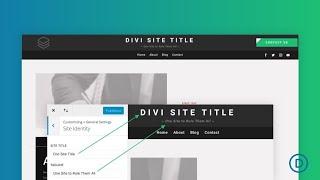
How to Add a Dynamic Site Title and Tagline to a Divi Global Header
Added 59 Views / 0 LikesKnowing how to add a dynamic site title and tagline to a Divi Global Header will come in handy when building Divi websites. And there are a few good reasons that one would do it. For one, not every site has a logo. A site title is a good logo replacement. Another reason is to boost your brand by including vital info about your site where everyone will see it. In this tutorial, we’ll show you how to add a dynamic site title and tagline to a Divi global
-
04:15

How to Add a Favicon to Your WordPress Website in 3 Ways
Added 88 Views / 0 LikesIn today’s video we cover three different ways to add a favicon to your WordPress website. Blog post: https://www.elegantthemes.com/blog/resources/how-to-add-a-favicon-to-your-wordpress-website-in-3-ways Like us on Facebook: https://www.facebook.com/elegantthemes/
-
19:44 Popular

How to Add a Fixed “Latest Episode” Audio Bar to Your Divi Header
Added 206 Views / 0 LikesIf you’re hosting a podcast website with Divi, chances are high you’re using the built-in Audio Module already. Now, if you’re looking for a special way to put your latest episode in the spotlight, you’re going to love this tutorial. Today, we’ll show you how to include a fixed latest episode audio bar in your Divi header. We’ll include a Text Module loop animation to draw attention to the audio bar and you’ll be able to download the global header tem
-
04:23 Popular

How to Add a Floating About Card to Your Divi Site with the Divi Code Module
Added 122 Views / 0 LikesIn this video, I show you how to Add a Floating About Card to Your Divi Site with the Divi Code Module. This time I’ve created a floating about card that displays your image, name, title, description, and a few links. Just as with the floating action button and the slide-in top bar, adding this pen to your site is incredibly simple and shouldn’t take more than a minute. Here is a link to the post: https://www.elegantthemes.com/blog/divi-resources/how-
-
05:05 Popular

How to Add a Floating Action Button to Your Site with the Divi Code Module
Added 128 Views / 0 LikesThe Divi Code Module is perhaps one of the most over-looked and under-used modules in Divi. As the frontend developer here at Elegant Themes I wanted to take the opportunity this year to change that. My goal is to use this post and others throughout the year to inspire a greater use of the code module by providing resources and tutorials for its use. Here is the link to the post: https://www.elegantthemes.com/blog/divi-resources/how-to-add-a-floating-
-
04:42 Popular

How to add a floating action menu to Divi with the code module.
Added 121 Views / 0 LikesHow to add a floating action menu to Divi with the code module. Hey, Divi Nation! I’m back with another pen to share with you all that will add a Floating Action Menu to your Divi website. I’m going to show you two different ways to implement it on your site. The first is taking advantage of Divi’s Code Module, something I’m hoping to encourage more of this year, and the second is using Divi’s Theme Options. Read article: https://goo.gl/cibBJq
-
45:38 Popular
How to Add a Forum to Your Website with Divi’s Marathon Layout Pack
Added 142 Views / 0 LikesMultistreaming with https://restream.io/ Adding a forum to your site is a pretty simple process. There are some great plugins out there that will give you the functionality you need, but it may be hard to match the design of the forum with your Divi layout. In this use case tutorial, I’m going to show you how to add a forum to your site that is both powerful and beautiful. I’ll be using Divi’s Marathon Layout pack with the forum plugin WPForo. I think
-
13:33

How to Add a Hamburger Icon Toggle to Divi’s Menu Module on Desktop
Added 60 Views / 0 LikesLearn more: https://www.elegantthemes.com/blog/divi-resources/how-to-add-a-hamburger-icon-toggle-to-divis-menu-module-on-desktop If you’re building your header inside Divi, there are quite a few ways to go about it. As a matter of fact, you can get an overview on header types and tutorials here. Now, in today’s tutorial, we’re adding another option to your list. We’ll show you how to add a hamburger icon toggle to DIvi’s Menu Module. This hamburger ic
-
12:22 Popular

How To Add A Hover Effect To Team Member Bios In Divi
Added 104 Views / 0 LikesIt’s no secret that about pages are great to create click-throughs on your website. It’s also that one kind of page that’ll emphasize the human part of the company behind the website. Knowing this makes us aware that it’s important we pay attention to the way we structure about pages, what kind of information we share and how we create interactions. One of the things you can do to elevate the about page experience is providing a team members section t
-
02:32 Popular

How to Add a Message Before Your WordPress Comment Fields
Added 110 Views / 0 LikesIn today’s video, we're going to learn how to add a message before your WordPress comment fields. Blog post: https://www.elegantthemes.com/blog/tips-tricks/how-to-add-a-message-before-your-wordpress-comment-fields Like us on Facebook: https://www.facebook.com/elegantthemes/
-
19:02 Popular

How to Add a Motion Slide-Out Email Optin Box with Divi's Scroll Effects
Added 110 Views / 0 LikesMultistreaming with https://restream.io/?ref=wVYnR If you’re looking for a way to highlight your email optin box, you’ll love this post. We’ll show you, step by step, how to add motion to your email optin box. The motion email optin box appears and disappears as visitors are scrolling down the page. By doing this, chances are high that the email optin box will catch your visitors’ attention, which will hopefully result in a higher conversion rate. You
-
05:08 Popular

How to Add a One Click WordPress PDF Download Using Divi
Added 115 Views / 0 LikesIn this video, I show you how to add a one click wordPress PDF download Using Divi. If you’ve never considered offering content as PDFs, you definitely should! PDFs enable you to package together your site’s most compelling content, and offer it to readers in a concise, easily accessible format.
-
47:50 Popular

How to Add a Payment Calculator and a Limited-Time Deal to Your Divi Site
Added 131 Views / 0 LikesMultistreaming with https://restream.io/ Hey Divi Nation, welcome to a brand new Divi Use Case live stream. We are all looking for practical ways to boost conversions on our website. If you are in the automobile industry, adding a payment calculator and a limited time deal to your site can definitely help the buying process. In this use case tutorial, I’m going to show you how to add a payment calculator and a limited-time deal to your website. To add
-
06:21 Popular

How to Add a PayPal Donate Button to Your Divi Website
Added 101 Views / 0 LikesYou need money. Maybe it’s for a non-profit you volunteer with, a new puppy’s adoption fee. Or maybe the most comfortable pair of running shoes you’ve ever tried on. The reason (mostly) doesn’t matter. What matters is that you’ve got a website with a captive audience who loves you. And they want you to get that puppy. Enter the Paypal donate button, what might just be one of the easiest, low-maintenance solutions for fundraising available to you. And
-
07:41
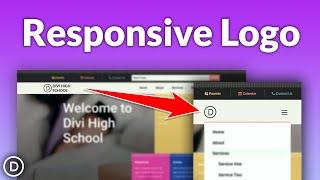
How to Add a Responsive Logo to Your Fullwidth Menu Module in Divi
Added 54 Views / 0 LikesDid you know that over 50 percent of internet traffic comes from mobile devices? That means that the mobile version of your website is extremely important, and may even be the primary way someone will visit your page. Making sure that your website is responsive and mobile-friendly is an essential step in designing a website. In this tutorial, we will show you how to add a responsive logo to your fullwidth menu module using Divi’s built-in responsive o
-
33:51 Popular
How to Add a Scroll Down Hover Effect to Preview Web Page Designs in Divi
Added 197 Views / 0 LikesMultistreaming with https://restream.io/ Hey Divi Nation, welcome to a brand new Divi Use Case live stream where each week we show you how to add new design and functionality to your Divi website. Whether it’s in a portfolio page or an image gallery, web designers need to showcase their designs for clients as a crucial part of driving business. And, many times, these examples of their work include images of entire web page designs which can take up a
-
08:59
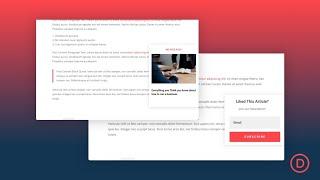
How to Add a Scroll Triggered Popup to Your Blog Posts in Divi
Added 48 Views / 0 LikesAdding a scroll triggered popup to your blog posts seems like a really smart thing to do. You may have seen them before when reading other blogs. As the user scrolls to a certain point of the post (usually the end), a box containing some call to action suddenly appears. The whole purpose of a scroll triggered popup is to present a targeted call to action to visitors at the exact moment you want them to see it on the page. In short, it is a great tool
-
03:42 Popular

How to Add a Search Field to Divi’s Secondary Menu
Added 149 Views / 0 LikesIn today’s Divi tutorial, we’re going to show you how to add a search field to your secondary menu. The secondary menu is also known as the header of your page and the place where you try to fit in some practical information about your website or company. Adding a search field to it might be a request you’ve had from a client or a need you have for your own website. Either way, we’ll show you how you can easily integrate this search field into your se
-
12:51 Popular

How to Add a Sticky Category Menu to Your Blog Templates in Divi
Added 119 Views / 0 LikesCategory menus are a delightful addition to any blog. They give bloggers an opportunity to showcase the different kind of topics available so readers can get to the stuff they care about quickly and easily. So, it’s important that you have a well-designed category menu on all the blog related templates in your website. In this tutorial, we are going to show you how to add a sticky category menu to your blog with Divi’s Theme Builder. We’ll cover how t
-
52:29 Popular
How to Add a Store Locator to Your Website with Divi’s Handyman Layout Pack
Added 107 Views / 0 LikesMultistreaming with https://restream.io/ Hey Divi Nation, welcome to a brand new Divi Use Case live stream. Today, I’m going to show you how to add a store locator to your site with Divi’s Handyman Layout Pack. The plugin I’ll be using is called WP Store Locator. This free plugin has some powerful customizable features including auto-generated driving directions and custom map styles. I’ll also show you how to customize the style of the store locator
-
14:32
How to Add a Styled & Inverted Cursor to Your Divi Page
Added 50 Views / 0 LikesLearn more: https://www.elegantthemes.com/blog/divi-resources/how-to-add-a-styled-inverted-cursor-to-your-divi-page One of the fastest ways to interact with visitors on your website is through their cursor. That’s where it usually all begins. User interaction on desktop is almost entirely based on the way visitors use their cursor to navigate through your pages. It’s also the one thing that allows them to trigger events, whether that’s a hover effect
-
05:42

How to Add a Stylish Preloader to your Divi Website
Added 34 Views / 0 LikesDivi Preloader is available in the Divi Marketplace! That means it has passed our review and has been found to meet our quality standards. You can visit Divi Professional in the marketplace to see all of their available products. Products purchased from the Divi Marketplace come with unlimited website usage and a 30-day money-back guarantee (just like Divi). Read more: https://www.elegantthemes.com/blog/divi-resources/how-to-add-a-stylish-preloader-to









