Elegant Themes
-
04:48 Popular

How to Make a “BuzzFeed” Quiz That Drives Traffic, Leads, and Sales
Added 134 Views / 0 LikesIn today’s video, we're going to learn how to make BuzzFeed quizzes that drive traffic, leads and sales. Blog post: https://www.elegantthemes.com/blog/marketing/how-to-make-a-buzzfeed-quiz-that-drives-traffic-leads-and-sales Like us on Facebook: https://www.facebook.com/elegantthemes/
-
08:33 Popular

How to Make Any Divi Page Element Sticky
Added 115 Views / 0 LikesKnowing how to make any Divi page element sticky (or fixed) is one of those handy skills that web designers can use in a number of ways. If you’re not familiar with the term “sticky”, it simply refers to an element on a web page that remains “fixed” as the user scrolls down the page. A popular example of a sticky element is a fixed navigation menu. Divi has a fixed (or sticky) navigation functionality available by default. So when the user scrolls dow
-
08:30 Popular

How to Make Any Page Element Sticky
Added 120 Views / 0 LikesIn this episode of Divi Nation we’ll be sharing a handy tip on how to make any Divi page element “sticky”. If you’re not familiar with that term, it means fixing the item in place so that it stays in front of your site visitors as they scroll down the page. This is a great way to call attention to your desired call to action on any given page. Here is the link to the code: https://www.elegantthemes.com/blog/divi-resources/how-to-make-any-divi-page-ele
-
14:12 Popular

How to Make Hidden Row Content Appear on Hover with Divi
Added 119 Views / 0 LikesAdding subtle interactions to your website can really boost the overall user experience visitors have. One of the things that’ll make your website look that more fancier, while still respecting user-friendliness, is making row content appear on hover. This is a great approach for showcasing services, products, features and more. In this tutorial, we’ll show you how to create a specific design from A to Z, but once you get the approach, you can make it
-
07:22
How to Make the Background Color of the Divi Menu Different on Every Page
Added 97 Views / 0 LikesMaking your site stand out in the crowd is sometimes easier said than done. Fortunately it can take the smallest bit of creative detail to help you push your site into a more unique territory. In today’s tutorial I’m going to be using one of my favorite features of Divi — the Divi Builder Settings box, and in particular the custom CSS box inside that. https://www.elegantthemes.com/blog/divi-resources/how-to-make-the-background-color-of-the-menu-differ
-
06:36

How to Make The Bloom Opt In Form Pop up When Clicking a Button
Added 96 Views / 0 LikesIn today’s tutorial, we’ll show you how exactly you can make use of these click triggers in some of the most important parts of your website. Once you’ve managed to include the click on trigger option, don’t forget to measure the results it brings you to see if it helps you make progress. Read the article: https://goo.gl/XMDjdU
-
28:11 Popular
How to Make the Interior Design Layout Pack Social Media Ready with Divi & Monarch
Added 122 Views / 0 LikesEvery week, we provide you with a new and free Divi layout pack which you can use for your next project. Along with every layout pack, we also share a use case that’ll help you take your website to the next level. This week, as part of our ongoing Divi design initiative, we’re going to show you how to make your Interior Design website social media ready with the Interior Design Layout Pack, Divi and Monarch. Besides showing you how to add social shari
-
05:50 Popular

How to Make The Social Media Follow Module Fixed Like Monarch
Added 137 Views / 0 LikesIn today’s tutorial, we’re going to show you how to make the Social Media Follow Module fit certain needs. Social Media Follow is a module that is rarely missing from any page on any website. It’s one of the main ways to connect the social media channels with the website. Read more: https://goo.gl/ZekSru
-
05:41 Popular

How to Make The Standard and Vertical Navigation Overlap on Your Divi Website
Added 120 Views / 0 LikesIn this post, we’re going to show you how to combine the standard and vertical navigation. More specifically; how to make the secondary menu and footer overlap the vertical navigation on your website. That means you won’t have to choose between having a top navigation or vertical navigation; you can do both! You can style the primary menu and secondary menu however you want within your Theme Customizer, that’s not what we’re going to help you achieve
-
04:43 Popular

How to Make Your Divi Footer Fixed
Added 137 Views / 0 LikesIn today’s Divi tutorial, we’re going to show you how to create a fixed footer for your website instead of a normal one. Read article: https://goo.gl/crSCuW
-
03:30 Popular
How to Make Your Divi Footer Sticky
Added 130 Views / 0 LikesIn this tutorial, we’ll show you exactly how to make the footer on your Divi website sticky. Using a sticky footer may be one of the requests you get when you’re designing a website for a client or a need you have when you’re creating a website of your own. We’ll show you two possibilities that will make your footer sticky. The first way is through CSS code and the second one through jQuery code. Read more: https://www.elegantthemes.com/blog/divi-reso
-
04:55 Popular
How to Make Your Divi Navigation Start at the Bottom, Then Stay Fixed at Top When Scrolling
Added 149 Views / 0 LikesIn today’s Divi tutorial we’ll show you, step by step, how to make a fixed navigation on your website when scrolling and after you’ve passed the height of your full screen. If you follow the steps in this post and recreate the fixed navigation, you’ll see that the navigation will bring a nice interacting effect to your primary menu and to your website in general. Read post: https://goo.gl/p1SN65
-
02:58
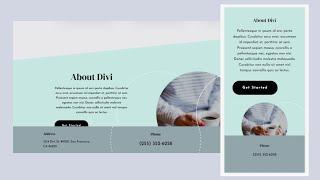
How to Make Your Footer Sticky with Divi
Added 54 Views / 0 LikesA sticky footer is a fantastic way to display important content to your visitors. The footer stays at the bottom of the screen as they scroll so they always have easy access to the content. This is ideal for contact information, special links, and more. Fortunately, creating a sticky footer is easy with Divi. In this tutorial, we’ll see how to make one section of your Divi footer sticky, and we’ll adjust it differently for desktop and phone devices. R
-
26:25
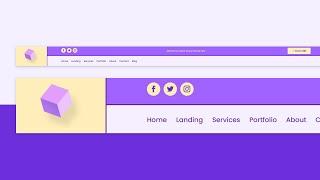
How to Make Your Logo Cross The Primary & Secondary Menu Bars Inside Your Divi Header
Added 66 Views / 0 LikesLearn more: https://www.elegantthemes.com/blog/divi-resources/how-to-make-your-logo-cross-the-primary-secondary-menu-bars-inside-your-divi-header When it comes to building a header, the possibilities are endless. You can include anything you can imagine inside your Divi header if you use the Divi Theme Builder. Today, we’re adding another highly-requested header design tutorial to your list of resources. We’ll show you how to make your logo cross the
-
09:08 Popular

How to Make Your Section Background Image Selectively Show Through with Divi
Added 126 Views / 0 LikesYou can basically apply a background image to anything within the Divi Builder. Whether it’s a section, row, column or module, the possibilities are endless. And with blend modes, you can even make background images show through selectively. This allows you to make modules to connect with each other on another level. Where one module stops, the other module takes over. They don’t behave as separate elements anymore but, instead, help you get a view of
-
31:54 Popular
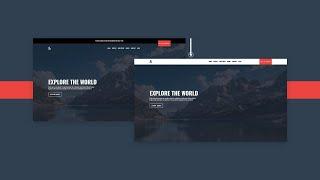
How to Make Your Transparent Header Sticky on Scroll with Divi
Added 109 Views / 0 LikesLearn more: https://www.elegantthemes.com/blog/divi-resources/how-to-make-your-transparent-header-sticky-on-scroll-with-divi When it comes to setting up a global header for your website, there are many ways to approach it. One of the more subtle approaches is a transparent header. Transparent headers are placed on top of your pages’ hero sections, which can lead to beautiful designs that focus on a minimal but clear approach. If you decide to go for a
-
10:51 Popular

How to Make Your Written Content Readable on Image Backgrounds with Divi 2018
Added 112 Views / 0 LikesMaking sure the content or copy for your website is readable is equally as important as making sure you’re choosing the right words. Of course, getting the overall right look and feel for your website is important as well. But without readable and valuable content, the purpose of a site will most likely get lost. When you’re creating your website with Divi, you have different design options that allow you to make sure that the copy you’re sharing is r
-
04:19
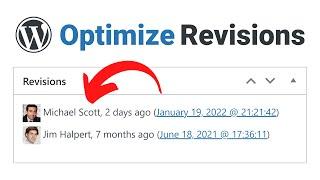
How to Manage WordPress Revisions to Optimize Site Performance
Added 76 Views / 0 LikesIn today's video, we'll learn how to manage WordPress revisions to optimize site performance. Blog post: https://www.elegantthemes.com/blog/wordpress/how-to-manage-wordpress-revisions-to-optimize-site-performance ➡️ Learn more about Divi: https://www.elegantthemes.com/gallery/divi 🔵 Like us on Facebook: https://www.facebook.com/elegantthemes/ #Optimize #WordPress #ElegantThemes
-
29:30

How to Mark a New Divi Section with Subtle Motion Shapes
Added 89 Views / 0 LikesMultistreaming with https://restream.io/?ref=wVYnR There are many ways you can make your visitor aware of the fact that they’re moving on to another section on your page. Within Divi, there’s a wide range of section dividers you can use right off the bat. But if you’re looking for a more animated way to make it clear, you’ll love this tutorial. We’ll show you how to mark a new Divi section using subtle motion shapes. We’ll create these shapes with Div
-
03:37 Popular

How to Match Your Desktop & Mobile Menu Bar with Divi
Added 147 Views / 0 LikesIn today’s Divi post, we’re going to share a quick tip that will help you enhance your mobile designs. We all know that your design on mobile is just as important as it is on desktop, but because of some standard settings within Divi, not all changes you make in the Theme Customizer look the same on Desktop as they do on mobile. Read the article here: https://www.elegantthemes.com/blog/divi-resources/how-to-match-your-desktop-mobile-menu-bar-with-divi
-
15:03
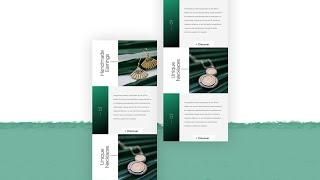
How to Maximize Divi’s Mobile Viewports Using Rotated Copy
Added 62 Views / 0 LikesWhen designing a website, you have an important choice to make at the very beginning: “What device am I going to design for first?” Often, the answer is desktop. But just because you design for desktop first, doesn’t mean your mobile design can’t be as thorough. By using rotated copy, for instance, you can maximize Divi’s mobile viewports and fit more content inside the mobile viewports without overburdening your visitors or your design. In this tutor
-
02:02

How to Minify Your Website's CSS, HTML & Javascript
Added 90 Views / 0 LikesIn today’s video we take a look at how to minify Your Website's CSS, HTML & Javascript. Blog post: https://www.elegantthemes.com/blog/tips-tricks/how-to-minify-your-websites-css-html-javascript Like us on Facebook: https://www.facebook.com/elegantthemes/
-
07:08 Popular

How to Monetize a Podcast
Added 116 Views / 0 LikesIn today’s video, we're going to learn how to monetize a podcast. Blog post: https://www.elegantthemes.com/blog/business/how-to-monetize-a-podcast Like us on Facebook: https://www.facebook.com/elegantthemes/
-
04:27 Popular

How to Offer Your Clients an Excellent Website Maintenance Plan or Retainer
Added 139 Views / 0 LikesIn today’s video, we're going to learn how to offer your clients an excellent website maintenance plan or retainer. Blog post: https://www.elegantthemes.com/blog/wordpress/how-to-offer-your-clients-an-excellent-website-maintenance-plan-or-retainer Like us on Facebook: https://www.facebook.com/elegantthemes/
-
09:06

How to Optimize your Divi Website with Rank Math
Added 56 Views / 0 LikesRank Math is one of the most popular and powerful SEO plugins for WordPress. Which is why we’re thrilled to share some big news! As of today Rank Math includes a deep integration with our own Divi WordPress Theme–bringing powerful SEO features right into Divi’s visual builder! To celebrate, we’ve created this article to show you how to take advantage of everything Rank Math brings to Divi. We’ll be covering a lot of ground so feel free to use these li
-
06:47 Popular
How to Optimize Your Sidebar on Mobile Using the Divi Theme Builder
Added 131 Views / 0 LikesI some cases, keeping a sidebar on mobile can be a bit of overkill. Users are happy to scroll through relevant info on their tablets and phones (to a point). But when you have a significant amount of sidebar content after the main content of the page, users may never reach the footer, which usually consists of some important calls to action. That’s why it is important to optimize the sidebar on mobile. In this tutorial, we are going to go over ways yo
-
16:22 Popular
How to Persuasively Lead Visitors Down the Page with Divi’s Built in Animation Settings
Added 120 Views / 0 LikesOne of the main purposes of hero sections is to convince people to keep scrolling down the page and discover more content and information you’ve shared. With Divi’s built-in animation options, you can add interactive animations to your page that will help you persuasively lead visitors down the page. In this tutorial, we’re going to motivate visitors to scroll down to the services section using arrow icons that lead them to the services section. Read
-
20:31 Popular
How to Place Hover Tooltips Anywhere on Your Page with Divi
Added 124 Views / 0 LikesMultistreaming with https://restream.io/ Every week, we provide you with new and free Divi layout packs which you can use for your next project. For one of the layout packs, we also share a use case that’ll help you take your website to the next level. This week, as part of our ongoing Divi design initiative, we’re going to show you how to create and place hover tooltips anywhere on your page with Divi. This is a great way to share side-information wi
-
11:07 Popular

How to Plan & Execute Long-Form Content for Building with WordPress & Divi
Added 110 Views / 0 LikesIn this video Nathan B. Weller walks you through everything you need to do before building your long-form story with WordPress and Divi. Watch the full Divi Nation Episode: https://youtu.be/F0oBFZjjpoU Read the accompanying blog post: http://goo.gl/b0hnO3 Subscribe to our YouTube Channel: https://goo.gl/oxCa4h Subscribe to Divi Nation on iTunes: https://goo.gl/w8fccT Subscribe to Divi Nation via RSS: http://goo.gl/vz04Vc Get Divi Nation on Facebook: h
-
55:16 Popular
How to Position Buttons Absolutely to Create Unique Button Layouts in Divi
Added 132 Views / 0 LikesMultistreaming with https://restream.io/?ref=wVYnR Hey Divi Nation, welcome to a brand new Divi Use Case live stream where each week we show you how to add new design and functionality to your Divi website. Divi’s built-in position options are a convenient design tool for the precise positioning of any Divi element, including buttons. Most of the time, we rely on the default static position of a button that keeps with the flow of the document (or page









