Wordpress
-
13:02 Popular
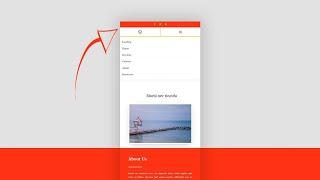
How to Create a Fixed Header with Divi’s Position Options
Added 104 Views / 0 LikesWith Divi’s new position options, turning your header into a fixed one is easier than ever. With just a few clicks, you can turn your static custom-built header into a fixed one that follows your visitors throughout their stay on your website. In this tutorial, we’ll show you the general steps you need to follow to create your fixed Divi header. Read more: https://www.elegantthemes.com/blog/divi-resources/how-to-create-a-fixed-header-with-divis-positi
-
12:34 Popular

How to Create a Floating Pop out Menu in Divi
Added 118 Views / 0 LikesAdding a floating pop-out Menu to your website will make it easy for visitors to access your menu at anytime throughout your page. This is great for sub navigation menus that compliment your primary navigation at the top of your page. It also allows you to display menus specific to your page content. For example, you may want to have a custom sub navigation menu for your services page that provides links to all of your different services. In this tuto
-
1:04:01

How to Create a Flow Chart Layout in Divi
Added 42 Views / 0 LikesLearn more: https://www.elegantthemes.com/blog/divi-resources/how-to-create-a-flow-chart-layout-in-divi Knowing how to create a flow chart layout in Divi opens up many opportunities for communicating processes and ideas on a website. In this tutorial, we are going to show you how to create a practical flow chart layout that you can use on your website that is simple, effective, and responsive. Basically, we are going to get creative with Divi borders,
-
29:22 Popular

How To Create a Fly In Optin Box With Bloom
Added 126 Views / 0 Likeshttp://www.elegantthemes.com/plugins/bloom/ is the best WordPress Email Opt-In Plugin, created by Elegant Themes. Swing by http://www.elegantthemes.com to download it!
-
04:55 Popular

How to Create a Footer Reveal with Divi
Added 106 Views / 0 LikesIn today’s Divi tutorial, we’re going to show you how to reach a certain effect you’ve probably never thought of integrating into your own website or a client’s. More precisely; we’re going to show you how to create a footer reveal. The footer reveal basically waits until you’re at the end of the page and reveals the footer according to the way you’re scrolling. Once you’ve scrolled all the way through the page, the footer will be shown in its origina
-
13:20

How to Create a Free Business Email Address in 5 Minutes (Step by Step)
Added 84 Views / 0 LikesDo you want to create a professional email address for free? A business email address uses your company name instead of a generic Gmail or yahoo account. In this video, we'll show you how to easily create a free business email address in less than 5 minutes and give a second paid method should the first be unavailable. This video brought to you by WPForms, the most beginner friendly WordPress form plugin, take a look at their site here: ==============
-
17:46

How to Create a Free Business Email Address in 5 Minutes (Step by Step)
Added 85 Views / 0 LikesIf you are looking to create a free business email address, there is a really good chance you may already have the option to create one if you already have website hosting. Many good hosting companies offer a free email service as part of their hosting package. In this video, we go step-by-step through creating that free business email address in 5 minutes through your website hosting. We also look at how you can use Google Workspace to create a busin
-
27:43 Popular

How To Create A Free Online Course Using WordPress & LifterLMS - To Generate Leads
Added 149 Views / 0 LikesHow To Create A Free Online Course Using WordPress & LifterLMS Watch the entire playlist: https://www.wpcrafter.com/create-course-2017 Hosting: http://www.OrderNewHosting.com Elementor: https://www.wpcrafter.com/elementor-page-builder GeneratePress: https://www.wpcrafter.com/gp-addons LifterLMS: https://www.wpcrafter.com/lifter-lms In this video I pull everything you have learned together, and create an online course with email engagements. You will n
-
06:08
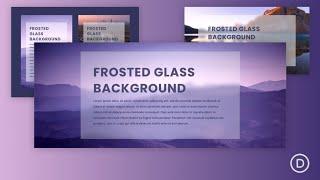
How to Create a Frosted Glass Background Design in Divi
Added 52 Views / 0 LikesAdding a frosted glass background for your website can be a fresh design element that makes your backgrounds and text stand out in a unique way. The trick to creating a frosted glass background effect is to blur the background behind the target element. In other words, we want to blend two elements in such a way that the target background looks like frosted glass that reveals a blurry version of the background behind the element. In this tutorial, we
-
05:35 Popular
How to Create a Full Screen Slider with Divi
Added 103 Views / 0 LikesDivi’s Fullwidth Slider Module comes with some great features including the ability to add sliders with parallax and video background. But, one feature that would make it even more powerful is the ability to expand to a full screen slider. Divi’s Fullwidth Header Module has this full screen option already so we thought it would be a good idea to show you how to add this same functionality to those fullwidth sliders. Read more: https://www.eleganttheme
-
58:36 Popular
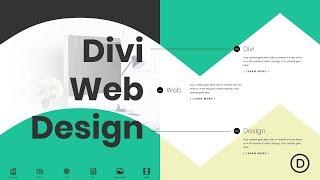
How to Create a Full Split-Screen Layout with Unique Toggles in Divi
Added 191 Views / 0 LikesHey Divi Nation, welcome to a brand new Divi Use Case live stream where each week we show you how to add new design and functionality to your Divi website. Split Screen layouts are a great way to add design to your Divi website that is beautifully balanced and unconventional. With Divi’s new position options, we can create a split-screen layout design using two adjacent Divi sections. This opens the door for building even more unique split-screen layo
-
01:18 Popular

How to Create a Full Width Page In Elementor - With Any WordPress Theme
Added 135 Views / 0 LikesDo you want to create a full width page in WordPress, no matter which theme you are using? The easiest way to do this is with the FREE Elementor Page Builder: https://elementor.com
-
01:20 Popular

How To Create A Full Width Slider on WordPress [Elementor Pro]
Added 115 Views / 0 LikesIn this guide David explains how to create a full width slider on WordPress, using the Elementor Slides widget. Get Elementor Pro: https://elementor.com/pro
-
00:33
How to create a full-width page in #Elementor ↔️ #Shorts
Added 44 Views / 0 Likes👋🏼 Help us improve by answering this short survey: http://elemn.to/survey-time In this tutorial we’ll learn how to create a full-width page when using the Elementor Page builder. 🔔 Subscribe to our channel!🔔 https://www.youtube.com/c/Elementor?sub_confirmation=1 Get Elementor: https://elementor.com Get Elementor Pro: https://elementor.com/pro For more tutorials on this topic: https://elementor.com/academy/design-layout/ #shorts #elementor #elementorpr
-
07:31 Popular

How to Create a Fullwidth Gallery with the Divi Gallery Module
Added 132 Views / 0 LikesBy the end of our quick tip today, we’re going to get a lovely fullwidth gallery made purely using the Divi gallery module. Follow the link to the post and see the CSS code used and the links to the websites we used to download the royalty free images. Here is the link to the post: https://www.elegantthemes.com/blog/divi-resources/how-to-create-a-fullwidth-gallery-with-the-divi-gallery-module
-
07:14 Popular

How to Create a Fullwidth Image Gallery with the Divi Gallery Module
Added 128 Views / 0 LikesFullwidth Image Galleries always seem to look great on a website. A fullwidth gallery spans the full width of the browser window. Theis extra space allows the images to keep a larger size which is great for the user experience. And the grid layout provides an aesthetic design that organizes images into columns that will adjust nicely on all browser widths. In this tutorial, I’m going to show you how to create a Fullwidth Image Gallery with the Divi Ga
-
29:08 Popular

How to Create a Game Scoreboard with Divi’s Soccer Club Layout Pack
Added 116 Views / 0 LikesMultistreaming with https://restream.io/ Every week, we provide you with new and free Divi layout packs which you can use for your next project. For one of the layout packs, we also share a use case that’ll help you take your website to the next level. This week, as part of our ongoing Divi design initiative, we’re going to show you how to create a cool game scoreboard using Divi’s Soccer Club Layout Pack. We’ll create this latest game scoreboard usin
-
25:15 Popular

How to Create a Giving Tuesday Landing Page with Divi and GiveWP
Added 134 Views / 0 LikesWelcome to this week's Divi Use Case Livestream! In case you haven’t heard, we’re getting ready to start off a massive Black Friday and Cyber Monday campaign here at Elegant Themes. But there’s another cool thing happening around this time of year. It’s called Giving Tuesday (this year it falls on November 28) and it’s an effort by the non-profits of the world to remind everyone that while they’ve got their wallets out for personal shopping, they may
-
10:28 Popular

How to Create a Global Transparent Floating Menu Bar with Divi’s Theme Builder
Added 126 Views / 0 LikesLooking for a way to put your global header on top of your pages’ hero sections? In today’s Divi tutorial, we’ll show you exactly how to do that. We’ll recreate a stunning global header from scratch (using Divi’s Theme Builder) and we’ll apply a floating effect to the menu bar. You’ll be able to download the JSON file for free as well! Read more: https://www.elegantthemes.com/blog/divi-resources/how-to-create-a-global-transparent-floating-menu-bar-wit
-
05:38 Popular

How to Create a Gorgeous Seasonal Transparent Countdown Timer in Divi
Added 123 Views / 0 LikesIn this video, I will be showing you how to create impressive countdown timers for your Divi website. As we discussed during day 1, countdown timers can be a very effective way to build anticipation for a new product, website, event, etc. Here is the link to the post: https://www.elegantthemes.com/blog/divi-resources/how-to-create-a-gorgeous-seasonal-transparent-countdown-timer-in-divi
-
07:58

How To Create A Grouped Product in Woocommerce
Added 53 Views / 0 LikesGrouped products allow your customers to more easily buy products that are often bought together. Think T-shirts and a hat. In this tutorial, you will learn how to create a grouped product in WooCommerce. This is part of my WooCommerce tips and tricks playlist, see them all: https://www.youtube.com/watch?v=KrOIFR04pMk&list=PLlgSvQqMfii4RPNBbdpjCdmlJfSJRt6Cw //* Image optimization tutorial: https://www.youtube.com/watch?v=ytPjy-I_CsM&t=294 Always backu
-
07:06 Popular

How to Create a Hamburger Icon for Your Divi Mega Menu
Added 137 Views / 0 LikesHamburger icons have become synonymous with menus. The three stacked horizontal lines represent the idea of a list and have been nicknamed “hamburger” for it’s obvious similarities. Divi uses the hamburger icon to toggle your main menu on mobile and on certain header styles like “slide in” and “fullscreen”. Today I’m going to show you how to use a hamburger icon to toggle a mega menu on click. This is a great solution for those sites with lots of menu
-
16:43 Popular

How To Create A High Converting Landing Page For Your WordPress Website In 10 Minutes
Added 152 Views / 0 LikesHow To Create A High Converting Landing Page For Your WordPress Website In 10 Minutes Landing Pages: https://www.wpcrafter.com/tcb Order Hosting: https://www.wpcrafter.com/inmotion-hosting If you run any adsense campaigns or any marketing to your website, then you need a landing page to convert your visitors. In this video I show you how to add a landing page to your wordpress website in 10 minutes. ~~~~~~~~~~~~~~~~~~~~~ All of my opinions in this vid
-
15:13 Popular

How to Create a Highly Visual Services Section for Your Next Project with Divi
Added 133 Views / 0 LikesThe way you present your services on your website says a ton about your company. Not only do you want the message to be clear, but you also want to share your services in a professional and design-wise attractive way. With Divi, you can make endless designs that elevate the message you’re trying to bring. In this post, we’re going to share a stunning services section along with the images and Photoshop files so you can modify them to your needs. We’ll
-
10:37

How to Create a Horizontal Scrolling Website [Advanced PRO]
Added 41 Views / 0 LikesIn this tutorial we learn how to create a horizontal scrolling website by adding custom CSS and Javascript within Elementor. We’ll start with a vertically designed website, and will walk you through step by step how to transform it into a horizontal layout, whilst keeping the vertical display for the mobile & tablet devices. This tutorial will cover: ✔︎ Creating sections which are suitable for a horizontal scrolling design ✔︎ How to change the page la
-
17:18 Popular

How to Create a Japanese Aesthetic Inspired Product Page Template with Divi
Added 128 Views / 0 LikesAre you looking for a clean and minimal product page design for your online shop? Today we’ve got a design inspired by the Japanese aesthetic. This is a common style for minimal Japanese magazines and websites. It makes it easy to read the text, see the products and not get distracted. Follow along the tutorial below to recreate this template for your own products. You’ll be able to download the template JSON file for free as well! Read the article he
-
07:13
How to Create a Job Application Form in WordPress Easily
Added 68 Views / 0 LikesDo you want to add a job application from to your WordPress website? In this video, we'll walk you through how to quickly and easily accept job applications on your business website. And we’ll show you how to create a job application form in WordPress that makes it easy for people to apply online while also making it easy for you to manage applications in one place. The easiest way to get started is by using WPForms. WPForms is the best WordPress form
-
48:00 Popular
How to Create a Knowledge Base for your Website with Divi
Added 121 Views / 0 LikesMultistreaming with https://restream.io/ Hey Divi Nation, welcome to a brand new Divi Use Case live stream where each week we show you how to add new design and functionality to your Divi website. In this tutorial, I’m going to show you how to add a knowledge base to your website with Divi. To do this, I’ll be using the Echo Knowledge Base plugin (free version) which has some helpful configuration options that make it easy to organize and style your k