Elegant Themes
-
11:58 Popular
How to Create a Dynamic Careers Job Listing Section with Divi’s Blog Module
Added 105 Views / 0 LikesIn a previous Divi tutorial, we’ve shown you how to create a completely dynamic open job position template with Divi’s Theme Builder and the Advanced Custom Fields plugin. In today’s tutorial, we’ll show you how you can dynamically feature the open job positions on your careers page. This tutorial is a sequel to the open job position template post, so make sure you recreate the template first and then come back to this tutorial. Read more: https://www
-
10:06
How to Create a Dynamic HTML Sitemap Page in Divi
Added 87 Views / 0 LikesAn HTML sitemap page can be useful for users looking to navigate your Divi site from a panoramic view. Basically, an HTML sitemap (like the name suggests) is a map of your site in HTML. The sitemap page usually contains an organized list of links to all the relevant content throughout your site. An HTML Sitemap page can be created manually, but it helps if you can generate the sitemap page content dynamically so that you don’t have to worry about cons
-
24:42
How to Create a Dynamic Job Opening Post Template with Divi’s Theme Builder & ACF
Added 96 Views / 0 LikesWhen you’re using the Divi Theme Builder in combination with dynamic content, you’ll quickly find yourself replacing plugins with self-made templates. In today’s tutorial, we’ll show you how to create a completely dynamic job opening post template using the Divi Theme Builder and an ACF fields group. This dynamic job opening post template is fully customizable and you’ll be able to download the JSON file for free as well! Read more: https://www.elegan
-
23:21
How to Create a Dynamic Portfolio Project Template with Divi & ACF
Added 82 Views / 0 LikesLooking for a way to streamline the way you create portfolio items on your website? If so, you’ll love this post. In this tutorial, we’ll show you how to create a dynamic portfolio project template with Divi’s Theme Builder and the ACF plugin. Building a portfolio project template will allow you to design the template body once and have it apply to all the portfolio items you add in the future as well. The template design we’ve created matches all kin
-
55:07 Popular
How to Create a Dynamic Post Info Bar for your Divi Blog Post Template
Added 108 Views / 0 LikesHey Divi Nation, welcome to a brand new Divi Use Case live stream where each week we show you how to add new design and functionality to your Divi website. Adding dynamic content to your blog post template is essential for providing things like the post title, metadata, featured image, etc. Normally, these dynamic elements are placed as normal static elements within the design of the layout. However, it may be helpful to keep some of these dynamic ele
-
13:55 Popular

How to Create a Family Tree with Divi’s Transform Settings
Added 131 Views / 0 LikesEver tried to create a family tree for your website, but didn’t exactly know how to approach it? Well, in today’s Divi tutorial, we’re going to show you exactly how to do that. On top of creating the family tree, we’re also making sure it remains responsive across all screen sizes. Once you’re done creating the family tree, you’ll always be able to modify the images, text and design according to your own preference and make it ready to go live! Want t
-
23:26 Popular
How to Create a Fixed Contact Form Corner Popup with Divi’s Sizing Options
Added 164 Views / 0 LikesMultistreaming with https://restream.io/ Every week, we provide you with new and free Divi layout packs which you can use for your next project. For one of the layout packs, we also share a use case that’ll help you take your website to the next level. This week, as part of our ongoing Divi design initiative, we’re going to show you how to add a fixed contact form corner popup to your page using Divi’s sizing options. This approach will help you set u
-
10:42
How to Create a Fixed Footer Bar for Your Divi Theme
Added 53 Views / 0 LikesFixed footer bars can be a convenient way to keep important information about your website at the forefront as the user engages with your page content on any device. Like with Divi, a footer bar usually exists as a static element at the very bottom of the page after the main footer content. They include things like copyright text and social media icons. But, if you don’t that footer bar content hidden at the bottom of the page, you can build a custom
-
13:02 Popular
How to Create a Fixed Header with Divi’s Position Options
Added 102 Views / 0 LikesWith Divi’s new position options, turning your header into a fixed one is easier than ever. With just a few clicks, you can turn your static custom-built header into a fixed one that follows your visitors throughout their stay on your website. In this tutorial, we’ll show you the general steps you need to follow to create your fixed Divi header. Read more: https://www.elegantthemes.com/blog/divi-resources/how-to-create-a-fixed-header-with-divis-positi
-
12:34 Popular
How to Create a Floating Pop out Menu in Divi
Added 116 Views / 0 LikesAdding a floating pop-out Menu to your website will make it easy for visitors to access your menu at anytime throughout your page. This is great for sub navigation menus that compliment your primary navigation at the top of your page. It also allows you to display menus specific to your page content. For example, you may want to have a custom sub navigation menu for your services page that provides links to all of your different services. In this tuto
-
1:04:01

How to Create a Flow Chart Layout in Divi
Added 40 Views / 0 LikesLearn more: https://www.elegantthemes.com/blog/divi-resources/how-to-create-a-flow-chart-layout-in-divi Knowing how to create a flow chart layout in Divi opens up many opportunities for communicating processes and ideas on a website. In this tutorial, we are going to show you how to create a practical flow chart layout that you can use on your website that is simple, effective, and responsive. Basically, we are going to get creative with Divi borders,
-
29:22 Popular

How To Create a Fly In Optin Box With Bloom
Added 124 Views / 0 Likeshttp://www.elegantthemes.com/plugins/bloom/ is the best WordPress Email Opt-In Plugin, created by Elegant Themes. Swing by http://www.elegantthemes.com to download it!
-
04:55 Popular

How to Create a Footer Reveal with Divi
Added 104 Views / 0 LikesIn today’s Divi tutorial, we’re going to show you how to reach a certain effect you’ve probably never thought of integrating into your own website or a client’s. More precisely; we’re going to show you how to create a footer reveal. The footer reveal basically waits until you’re at the end of the page and reveals the footer according to the way you’re scrolling. Once you’ve scrolled all the way through the page, the footer will be shown in its origina
-
06:08
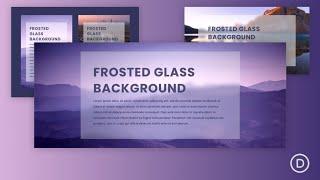
How to Create a Frosted Glass Background Design in Divi
Added 50 Views / 0 LikesAdding a frosted glass background for your website can be a fresh design element that makes your backgrounds and text stand out in a unique way. The trick to creating a frosted glass background effect is to blur the background behind the target element. In other words, we want to blend two elements in such a way that the target background looks like frosted glass that reveals a blurry version of the background behind the element. In this tutorial, we
-
05:35 Popular
How to Create a Full Screen Slider with Divi
Added 101 Views / 0 LikesDivi’s Fullwidth Slider Module comes with some great features including the ability to add sliders with parallax and video background. But, one feature that would make it even more powerful is the ability to expand to a full screen slider. Divi’s Fullwidth Header Module has this full screen option already so we thought it would be a good idea to show you how to add this same functionality to those fullwidth sliders. Read more: https://www.eleganttheme
-
58:36 Popular
How to Create a Full Split-Screen Layout with Unique Toggles in Divi
Added 190 Views / 0 LikesHey Divi Nation, welcome to a brand new Divi Use Case live stream where each week we show you how to add new design and functionality to your Divi website. Split Screen layouts are a great way to add design to your Divi website that is beautifully balanced and unconventional. With Divi’s new position options, we can create a split-screen layout design using two adjacent Divi sections. This opens the door for building even more unique split-screen layo
-
07:31 Popular

How to Create a Fullwidth Gallery with the Divi Gallery Module
Added 131 Views / 0 LikesBy the end of our quick tip today, we’re going to get a lovely fullwidth gallery made purely using the Divi gallery module. Follow the link to the post and see the CSS code used and the links to the websites we used to download the royalty free images. Here is the link to the post: https://www.elegantthemes.com/blog/divi-resources/how-to-create-a-fullwidth-gallery-with-the-divi-gallery-module
-
07:14 Popular

How to Create a Fullwidth Image Gallery with the Divi Gallery Module
Added 127 Views / 0 LikesFullwidth Image Galleries always seem to look great on a website. A fullwidth gallery spans the full width of the browser window. Theis extra space allows the images to keep a larger size which is great for the user experience. And the grid layout provides an aesthetic design that organizes images into columns that will adjust nicely on all browser widths. In this tutorial, I’m going to show you how to create a Fullwidth Image Gallery with the Divi Ga
-
29:08 Popular
How to Create a Game Scoreboard with Divi’s Soccer Club Layout Pack
Added 115 Views / 0 LikesMultistreaming with https://restream.io/ Every week, we provide you with new and free Divi layout packs which you can use for your next project. For one of the layout packs, we also share a use case that’ll help you take your website to the next level. This week, as part of our ongoing Divi design initiative, we’re going to show you how to create a cool game scoreboard using Divi’s Soccer Club Layout Pack. We’ll create this latest game scoreboard usin
-
25:15 Popular

How to Create a Giving Tuesday Landing Page with Divi and GiveWP
Added 130 Views / 0 LikesWelcome to this week's Divi Use Case Livestream! In case you haven’t heard, we’re getting ready to start off a massive Black Friday and Cyber Monday campaign here at Elegant Themes. But there’s another cool thing happening around this time of year. It’s called Giving Tuesday (this year it falls on November 28) and it’s an effort by the non-profits of the world to remind everyone that while they’ve got their wallets out for personal shopping, they may
-
10:28 Popular

How to Create a Global Transparent Floating Menu Bar with Divi’s Theme Builder
Added 124 Views / 0 LikesLooking for a way to put your global header on top of your pages’ hero sections? In today’s Divi tutorial, we’ll show you exactly how to do that. We’ll recreate a stunning global header from scratch (using Divi’s Theme Builder) and we’ll apply a floating effect to the menu bar. You’ll be able to download the JSON file for free as well! Read more: https://www.elegantthemes.com/blog/divi-resources/how-to-create-a-global-transparent-floating-menu-bar-wit
-
05:38 Popular

How to Create a Gorgeous Seasonal Transparent Countdown Timer in Divi
Added 121 Views / 0 LikesIn this video, I will be showing you how to create impressive countdown timers for your Divi website. As we discussed during day 1, countdown timers can be a very effective way to build anticipation for a new product, website, event, etc. Here is the link to the post: https://www.elegantthemes.com/blog/divi-resources/how-to-create-a-gorgeous-seasonal-transparent-countdown-timer-in-divi
-
07:06 Popular

How to Create a Hamburger Icon for Your Divi Mega Menu
Added 135 Views / 0 LikesHamburger icons have become synonymous with menus. The three stacked horizontal lines represent the idea of a list and have been nicknamed “hamburger” for it’s obvious similarities. Divi uses the hamburger icon to toggle your main menu on mobile and on certain header styles like “slide in” and “fullscreen”. Today I’m going to show you how to use a hamburger icon to toggle a mega menu on click. This is a great solution for those sites with lots of menu
-
15:13 Popular
How to Create a Highly Visual Services Section for Your Next Project with Divi
Added 131 Views / 0 LikesThe way you present your services on your website says a ton about your company. Not only do you want the message to be clear, but you also want to share your services in a professional and design-wise attractive way. With Divi, you can make endless designs that elevate the message you’re trying to bring. In this post, we’re going to share a stunning services section along with the images and Photoshop files so you can modify them to your needs. We’ll
-
17:18 Popular

How to Create a Japanese Aesthetic Inspired Product Page Template with Divi
Added 125 Views / 0 LikesAre you looking for a clean and minimal product page design for your online shop? Today we’ve got a design inspired by the Japanese aesthetic. This is a common style for minimal Japanese magazines and websites. It makes it easy to read the text, see the products and not get distracted. Follow along the tutorial below to recreate this template for your own products. You’ll be able to download the template JSON file for free as well! Read the article he
-
48:00 Popular
How to Create a Knowledge Base for your Website with Divi
Added 114 Views / 0 LikesMultistreaming with https://restream.io/ Hey Divi Nation, welcome to a brand new Divi Use Case live stream where each week we show you how to add new design and functionality to your Divi website. In this tutorial, I’m going to show you how to add a knowledge base to your website with Divi. To do this, I’ll be using the Echo Knowledge Base plugin (free version) which has some helpful configuration options that make it easy to organize and style your k
-
17:24 Popular

How To Create A Locked Opt In Form With Bloom
Added 114 Views / 0 Likeshttp://www.elegantthemes.com/plugins/bloom/ is the best WordPress Email Opt-In Plugin, created by Elegant Themes. Swing by http://www.elegantthemes.com to download it!
-
17:13 Popular
How to Create a Medium Style Blog with Divi
Added 128 Views / 0 LikesIn today’s Divi blog post, we’re going to share some great tips on how to create your own blogging website in the same style as the Medium blog. Read the article here: https://goo.gl/pZKb5g
-
25:07 Popular
How to Create a Mega Menu for Your Recipes Page using Divi's Food Recipes Layout Pack
Added 111 Views / 0 LikesEvery week, we provide you with a new and free Divi layout pack which you can use for your next project. Along with every layout pack, we also share a use case that’ll help you take your website to the next level. This week, as part of our ongoing Divi design initiative, we’re going to show you how to add a mega menu to your recipes page using Divi’s free Food Recipes Layout Pack. This menu will include the categories of your recipes and will be displ
-
18:01 Popular

How to Create a Minimal Portfolio Homepage with Divi
Added 142 Views / 0 LikesTo begin this series, I’m going to show you how to create a minimal portfolio homepage. As the series progresses, we’ll branch out and add a few more options–calls to action, a filterable portfolio, project page layouts, and A/B tests–but the core concept of simplicity and effectiveness will never change. Here is a link to the post: https://www.elegantthemes.com/blog/divi-resources/how-to-create-a-minimal-portfolio-homepage-with-divi









